Player guidance + viewing subscriptions

Flix IPTV.
Your screen,
sorted.

Find the right player. Make setup feel simple. Choose a viewing plan that fits your evenings, your devices and your favourite seat.

Independent guidance for third-party apps. Our viewing plans are handled by IPTV Services; player licences stay with their developers.

Start with your own screen.Find the player. Check the setup.

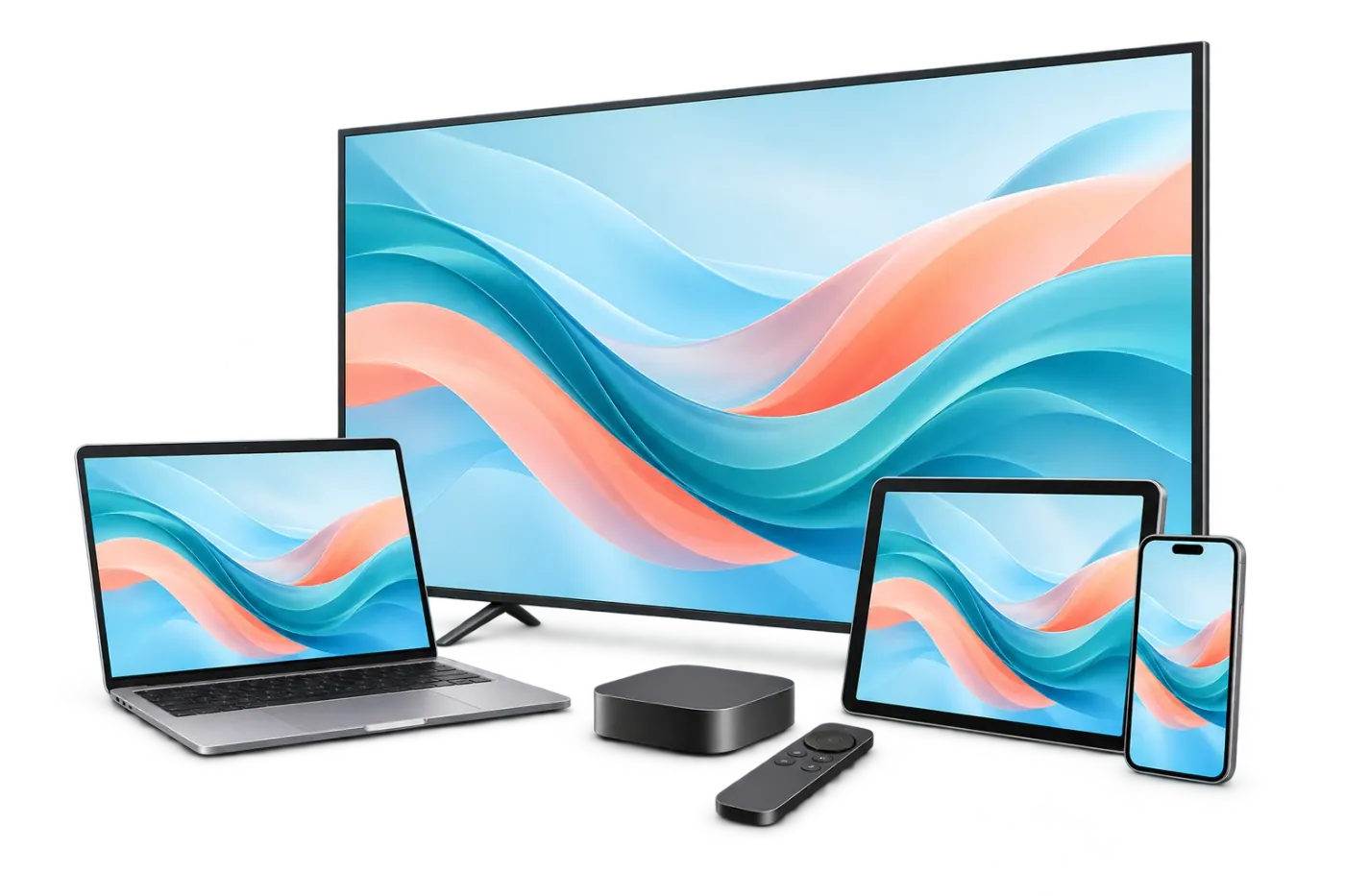
Illustrative player layout

A clearer first step

The player, the plan
and your favourite screen.

Searching for Flix IPTV can lead to a download, an app activation or a viewing subscription. Start by choosing the part of the setup you actually need.

The player opens your viewing.

A player is the software on your television, streaming device or phone. Its job is to display the account or playlist you supply. Check the publisher name and supported login format in the exact app you install. A familiar name or a matching icon alone does not establish that two apps are the same product.

Find your player

The plan provides the access.

Our viewing plans provide a subscription handled by IPTV Services. Choose a duration and the number of streams that can play together. Your full prepaid total is shown before checkout. You still need a compatible player, your own device and an internet connection that works well where you watch.

See what is included

Your setup brings them together.

Before committing to a long term, check the television model, available player and connection in that room. Then try the things you will use: the remote, guide times, audio tracks and subtitles. A useful setup is one your household can operate comfortably, without relearning the basics every evening.

Check your device

Find the right starting point

Flix IPTV download help.
Made for your device.

Use the publisher’s current store listing or instructions. Our download directory helps match the app to its developer and keeps software fees separate from your viewing plan.

Samsung & LG TVs

Search from the television’s own app store and check the developer, supported model and region. A result on somebody else’s TV does not establish availability on yours. If the app is missing, use your model number to find a supported route.

Smart TV guidance ↗

Android & Google TV

Match the package and publisher before installing. The Flix IPTV listing associated with Evolution World FZCO is one specific product. Other Flix-named players have their own developers, requirements and payment systems, even when their names sound alike.

See the app source ↗

Amazon Fire TV

Identify the exact model and operating system before following a Downloader guide. An instruction for an older Fire OS stick may not fit a newer model. We show the source checks and what to confirm before you choose an installation route.

Fire TV help ↗

Apple & computers

Check the publisher on the store page and whether that particular app supports your screen. Similar names can refer to different products. If an app is unavailable in your region, choose a documented compatible alternative instead of an unrelated download.

Find a supported route ↗

Publisher identity and source links reviewed October 18, 2026. Some store records were cached and availability varied by region; a source listing is not a real-device installation test. See the download directory for the checked sources and their limits.

A home television setup ready for a relaxed evening
Your Firestick setup starts with the model.The right guide is the one that matches your device.

A little less guesswork

Flix IPTV on Firestick:
check the route first.

Downloader is a way of reaching an installation source on supported devices. It does not supply an IPTV account or establish that a file belongs to the player you want. Before using a code or address, check which publisher provides it and whether the instructions apply to your device.

Look up the model and software version in your Fire TV settings. Names such as “4K” do not identify the operating system by themselves. Fire OS and Vega OS have different app environments, and even models in the same family can need different instructions.

  • Identify the exact device. Write down the model, operating system and software version.
  • Match the publisher. Follow its current instructions and check the full destination.
  • Keep the purchases separate. A player download or activation does not include our viewing plan.

We have not verified a numeric Downloader code for the Flix player, so this page does not supply a guessed shortcut. If an older guide disagrees with your settings, pause there and confirm the route rather than changing unrelated options. Our device check and support team can help you identify the next useful question.

Read the Downloader guide

Your viewing subscription

Pick your screens.
Make the evenings yours.

Choose one to five streams playing together, then a prepaid duration. These prices cover our viewing subscription; any third-party player activation or licence is a separate purchase with its developer.

How many screens will play together?

Choose simultaneous streams. Every amount below is the full prepaid USD total.

Give it a month

1 month

$20USD total

$20.00 / month equivalent

1 simultaneous screen

Choose 1 month
  • 22,000+ live TV channels
  • 100,000+ films & series combined
  • HD, UHD & 4K where available
  • Your selected screen allowance
  • Supported catch-up & EPG
  • 24/7 customer support

Get into your rhythm

3 months

$40USD total

$13.33 / month equivalent

1 simultaneous screen

Choose 3 months
  • 22,000+ live TV channels
  • 100,000+ films & series combined
  • HD, UHD & 4K where available
  • Your selected screen allowance
  • Supported catch-up & EPG
  • 24/7 customer support

Settle in for a season

6 months

$60USD total

$10.00 / month equivalent

1 simultaneous screen

Choose 6 months
  • 22,000+ live TV channels
  • 100,000+ films & series combined
  • HD, UHD & 4K where available
  • Your selected screen allowance
  • Supported catch-up & EPG
  • 24/7 customer support

Make a year of it

12 months

$80USD total

$6.67 / month equivalent

1 simultaneous screen

Choose 12 months
  • 22,000+ live TV channels
  • 100,000+ films & series combined
  • HD, UHD & 4K where available
  • Your selected screen allowance
  • Supported catch-up & EPG
  • 24/7 customer support
Lowest monthly equivalent

Plan two years ahead

24 months

$140USD total

$5.83 / month equivalent

1 simultaneous screen

Choose 24 months
  • 22,000+ live TV channels
  • 100,000+ films & series combined
  • HD, UHD & 4K where available
  • Your selected screen allowance
  • Supported catch-up & EPG
  • 24/7 customer support

Picture quality, guide data and catch-up depend on the source, compatible player and device. Player app fees are separate. Checkout and account support: IPTV Services.

One full total, upfront.

The large price is what the selected term and screen count cost in USD. A monthly equivalent divides that total for comparison; it is not an installment schedule. Check the amount and selection again at IPTV Services before paying.

Count a busy evening.

One active television uses one connection. A second screen playing at the same moment uses another. Count simultaneous streams, rather than every phone, tablet or app installation in the household, to avoid buying an allowance you do not need.

Choose the term after the checks.

A longer term has a lower monthly equivalent, with a larger payment today. Test the player and important viewing first. Our local trial request gives you a practical way to ask about availability before deciding which duration fits.

From a download to an evening in

Three steps.
One comfortable start.

Take the setup in order. First find the compatible software, then choose the viewing access, and finally check how the two work together on your own screen.

01

Find the player that fits.

Check the exact app, developer and device requirements. Install through the appropriate publisher route, then look at the login options. If your app asks for a playlist address, MAC identifier or another format, match those instructions to that app. Your player’s terms determine any software fee.

Start with the app ↗
02

Choose and review your plan.

Select your viewing duration and simultaneous screens. The subscription page repeats the full total and selected allowance before the shared checkout. IPTV Services handles payment, the account and access delivery. Review the available payment methods and purchase conditions there before placing an order.

Compare the plans ↗
03

Add access. Check the details.

Use the login or playlist supplied for your viewing account in a compatible player. Check the guide time zone, sound, subtitles and remote controls. Try your important channels or programmes during an available trial. If something needs help, describe the symptom, device and app without sharing passwords publicly.

Follow the setup guide ↗

Make room for your favourites

Live moments.
A movie. Another episode.

Our owner-stated catalogue includes 22,000+ live TV channels and 100,000+ movies and series titles combined. Ask about the particular viewing that matters to you.

A stadium setting for a live sporting event

Live TV, your way.

Explore live categories such as news, sports, entertainment and family viewing. Channel names, regional versions and event coverage can change. If one match or network is essential, ask about it specifically and check the exact feed rather than relying on a total channel count.

Explore live viewing ↗
A cinema-inspired setting for movie night

A proper movie evening.

When choosing a film, the details matter as much as the title: available audio, subtitles, version and playback on the television you use. On-demand titles are part of the combined catalogue figure. Artwork and broad genre descriptions do not establish that a particular release is available.

Understand on-demand viewing ↗
A relaxed setting for enjoying a television series

Find your next series.

Check the season and episodes you want before subscribing. A series name alone does not confirm a complete run or a preferred language. Favourites and resume controls depend on the player. Learn where those options are in your app so the next episode feels easy to find.

Check your shortlist in a trial ↗

The experience behind the picture

A good setup makes
the details easier.

Picture quality comes from the full setup: source, internet connection, player and screen. HD, UHD and 4K options are available where supported. A 4K logo on a television does not turn every source into a 4K feed, and a speed result elsewhere in the house does not describe the connection beside your sofa.

Start with the basics you can check. Keep the app current through its publisher route, compare playback on another supported device when useful, and look at the network at the time you normally watch. A wired connection can be worth trying when the main television’s Wi-Fi is inconsistent.

  • EPG guide data. Programmes and times depend on the channel data and the player’s guide settings. Confirm the time zone and a few familiar listings.
  • Catch-up. Look for it on supported sources and in compatible players. It is not a promise that every programme can be replayed.
  • Audio and subtitles. Open the available track options on the exact title or channel you want. Those options can vary between sources.
  • Useful support. A clear device model, app version and error description help the shared team investigate your viewing account or setup question.
Get practical setup help

The screen is already yours

Start with the devices
you enjoy using.

A television in the living room, a streaming stick in another room or a tablet for a quieter corner can all be part of a household setup. The important question is which player and login route your exact device supports. Brand names alone do not answer that.

Our device page keeps the checks specific. It covers Fire TV, Android and Google TV, Samsung and LG televisions, Apple devices and computers through a documented player dataset. Some combinations have a recorded route; others need confirmation. Source checks are dated and are not a claim that every model has been tested.

If your current app is difficult to use, think about the controls you use every night: finding favourites, reading the guide, changing subtitles and returning to a series. A compatible alternative may suit the household better than forcing an unfamiliar app onto an unsupported screen.

A TV, streaming device, computer, tablet and phone

Clear before you pay

App activation and
viewing subscriptions.

Keeping these purchases clear helps with payment, renewals and support. A charge for software and a charge for viewing access may reach different businesses and follow different conditions.

When the app asks for activation.

A third-party player may ask for a licence, in-app purchase or activation after its own trial. Read the current price, device allowance and licence duration shown by that publisher. We have not verified a current Flix player activation fee, so we do not quote one as a fixed offer here.

Check the app-store receipt or publisher identity before contacting support about a software charge. Paying for a viewing plan at IPTV Services does not activate a third-party player. Installing another app with a similar name does not move a software licence between publishers either.

Read player vs subscription ↗

When you choose a viewing plan.

Our plans start at $20 USD for one month and one simultaneous screen. A one-screen annual plan is $80 USD paid upfront. More simultaneous screens have their own exact totals, shown in the selector and on each duration page.

Check the purchase conditions before paying. Eligible new subscriptions have a seven-day refund request window from purchase, with support first and the stated exclusions. App licences follow their own developers’ terms. Keep the order references so each team can identify the correct purchase.

Read the viewing refund policy ↗
A familiar setup, wherever you start

For viewers in the US,
UK and Canada.

The viewing plans use the same USD matrix across these markets. App-store availability, language preferences, device models and local viewing requirements still need their own checks.

United States

Start with your exact device and store region, then check the programmes and language tracks you want. When contacting support, mention the state or time zone if it helps explain guide times or a playback event. Test at the time of day your household usually watches, with the same screen and connection.

United Kingdom

Prices remain in US dollars; your bank handles any conversion to pounds and may add a fee. Check the regional channel versions, guide times and app availability you need. Our UK guide also points to current official information on local viewing requirements, rather than treating a subscription as a substitute for those obligations.

Read the UK guide ↗

Canada

The checkout charges USD, so a Canadian-dollar card may involve conversion and a fee. Ask about the particular English or French viewing, audio and subtitles that matter to you. If you use different screens in different rooms, check each player’s setup and select the number of simultaneous streams your busiest evening needs.

Read the Canada guide ↗
Two people enjoying television together at home

A little help when you need it

The right question.
The next useful step.

For our viewing plans, IPTV Services handles the shared checkout, billing, account and subscription support. You can reach the team by email, WhatsApp or the chat widget on this site. Support is available 24/7; keep an order reference and a short description of the issue together in the same conversation.

If a screen is not playing, note whether another source or device works. For a guide-time issue, note the time zone and example channel. For a player-licence issue, use the developer details on the app receipt. These small distinctions make a support request more useful than a screenshot of a password or full playlist link.

Our local trial form helps you prepare a message before sending it. You can mention your device and what you want to check without entering payment details. Support confirms trial availability and next steps; preparing a draft does not submit an account request automatically.

Before your first evening

Flix IPTV questions,
clearly answered.

Find the essentials on downloads, app activation, viewing access and pricing. For the detailed source checks and exact developer identities, use our download directory. For a question about your selected viewing plan, the shared support team can help.

Explore the guides ↗

Player-source review: October 18, 2026 · Publisher listing · Sources and availability notes

Where do I download the Flix IPTV player?

Start with our publisher and download directory, then check the exact app name, developer, device and store region. Flix-named apps come from different publishers. Our site provides independent guidance and viewing plans; the developer handles its own software downloads and activation.

Is a Flix IPTV activation the same as a subscription?

A player activation pays for software under its developer’s terms. A viewing subscription provides the account or playlist used in a compatible player. Our prepaid plans cover viewing access. Any app licence is separate and is not activated by ordering a plan here.

Is there a Downloader code for every Firestick?

There is no code verified by us for the Flix player. The route depends on the exact device, operating system and app publisher. Follow current publisher guidance and check the full destination before installation. Our Downloader guide explains the checks without substituting a guessed code.

What is included in a viewing plan?

The owner-stated catalogue is 22,000+ live channels and 100,000+ movies and series titles combined. Choose one to five simultaneous streams for one, three, six, twelve or twenty-four months. Check specific content, languages and playback in your player before buying.

Can I try the service before paying?

Use our local 24-hour trial request. No card is required. Prepare and review your message, then send it through WhatsApp or email. Support confirms availability; the form does not submit an order or activate access automatically.

Why is the total in USD?

IPTV Services handles our shared checkout and charges viewing plans in US dollars. The displayed price is the full prepaid total for the selected term and screens. Banks may convert a charge to pounds or Canadian dollars and apply their own fee.

Which team helps with an app payment?

For a software licence or activation payment, contact the publisher shown on the installed app or store receipt. IPTV Services handles our viewing subscription, access details and account support. Keeping the receipts separate helps you reach the right team.

How do refund requests work?

Eligible new subscriptions have a seven-day request window from purchase, with support first and one refund per customer. Renewals, upgrades and the connection/setup or occasional-playback cases in our refund policy are excluded. Approved refunds use the original payment method with three to five business days processing after approval. App developers apply their own software terms.

Make the next step a simple one

Your player. Your plan.
Your next evening in.

Start with the download and device guidance, or prepare a trial request to check the viewing on your own screen. Choose a prepaid plan once the setup and the programmes that matter feel right for you.

Find your starting point